Flipper Zero
 Arife Ebrar Üstüner
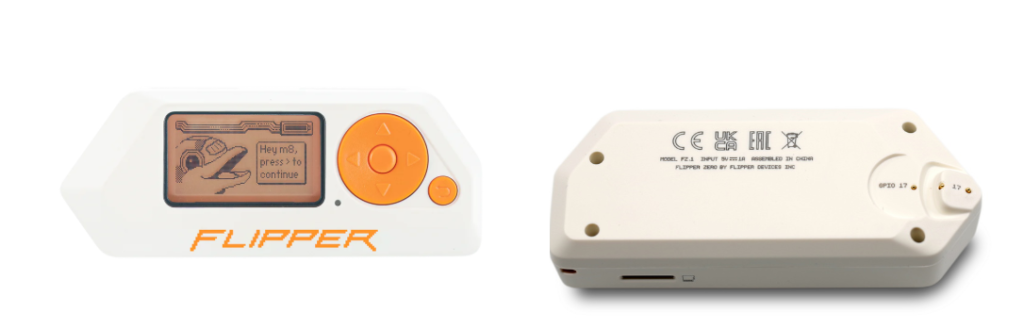
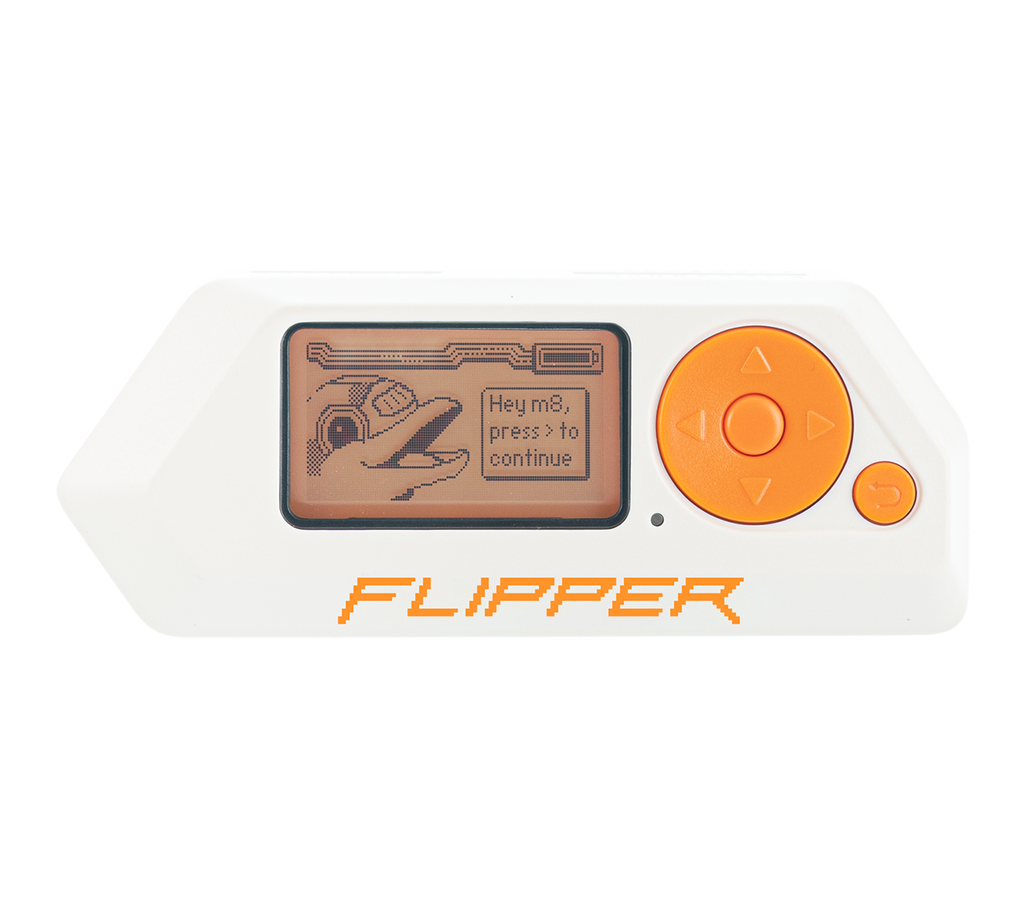
One of the most remarkable devices in the cybersecurity world in recent years, Flipper Zero, possesses an extensive technological range despite its compact structure. In this article, we will examine the fundamental details, from the hardware components of the device to the menu structure, and from the software options to the development possibilities.
1. Physical Components and Hardware Architecture
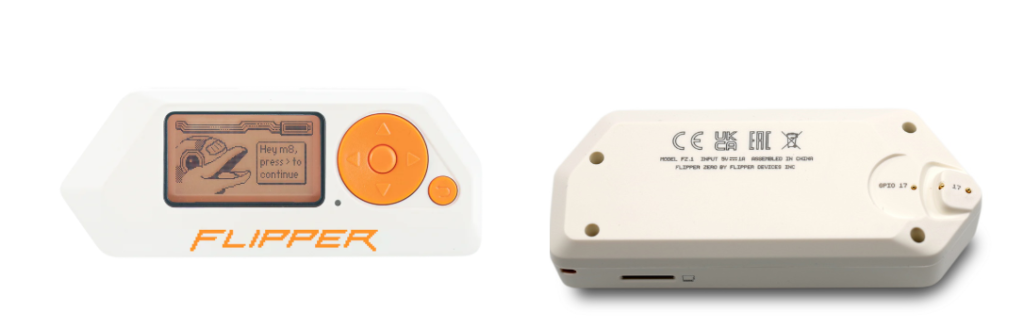
Flipper Zero integrates many different wireless protocols into a single body. The main hardware components on the device are as follows:
- Monochrome LCD Screen: The main panel with 128×64 pixel resolution, which consumes low power and is readable in all lighting conditions.
- 5-Way Navigation Key: Provides fast control within the device interface.
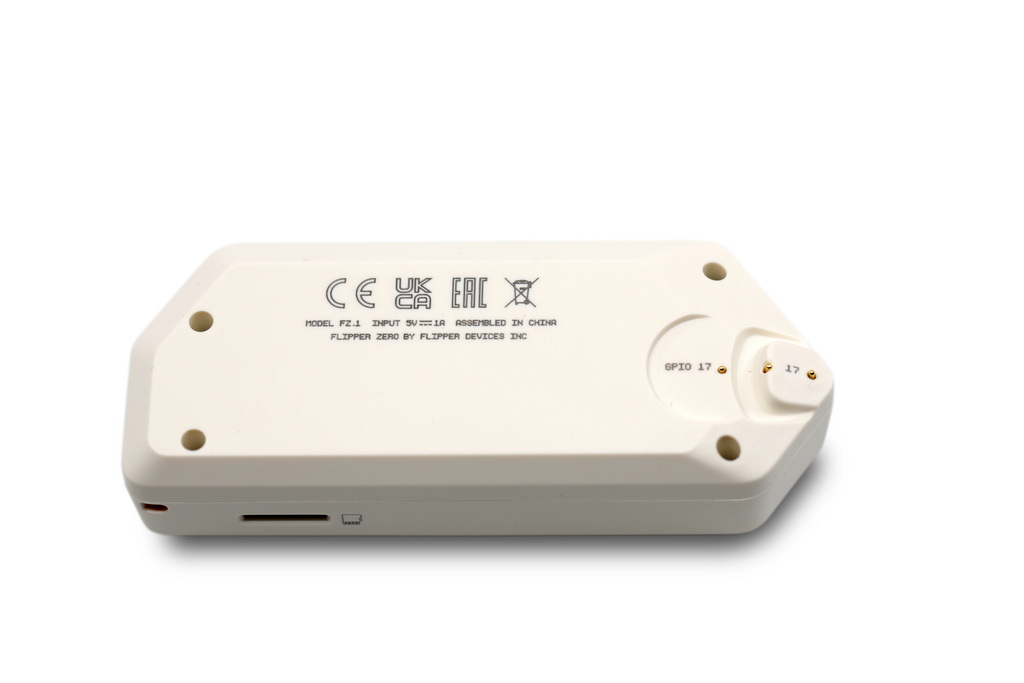
- GPIO Pins: 18 pins located on the top of the device; used for sensor connections, debugging, and external modules.
- Internal Antennas: There are internal antenna structures optimized for Sub-GHz, NFC, RFID, and Bluetooth (BLE).
- MicroSD Card Slot: The device’s own memory is quite limited; all signal recordings, card data, and application data are stored on the SD card.
- CC1101 Chip: Located at the heart of the device, this chip is responsible for receiving and transmitting radio signals in the Sub-GHz frequency range.
- iButton (1-Wire): Allows testing of physical access control systems through contact points that support Dallas key protocols.
- Bluetooth Low Energy (BLE): Used for both mobile application integration and simulating the device as a wireless peripheral in the form of an HID (Human Interface Device).
2. Functional Menus and Subheadings
The interface of the device is categorized according to the communication protocols used:
- Sub-GHz: Covers radio signals in the 300-928 MHz band. It is used to analyze signals from systems such as barrier remotes, IoT devices, and weather stations.
- 125 kHz RFID & NFC: Performs reading, copying, and emulating operations for low and high-frequency cards.
- Infrared (IR): Thanks to the infrared signal receiver and transmitter, it can control remote-controlled devices such as televisions and air conditioners.
- Bad USB: When the device is connected to a computer, it identifies itself as a keyboard and automatically runs pre-written scripts (Payloads).
- U2F (Universal 2nd Factor): The device can be used as a hardware security key (2FA) on your computer or accounts.
- Apps Center: A wide library of applications consisting of cybersecurity-focused analysis tools and auxiliary modules accessible through the mobile application ecosystem.
3. Software (Firmware) Ecosystem
The capabilities of Flipper Zero vary depending on the firmware used:
- Official Firmware: A stability-oriented version for standard users that complies with legal restrictions.
- Community Firmwares (Momentum, Unleashed, etc.): Advanced versions that offer bypassing of regional restrictions, enhanced frequency analysis, and customized user interfaces.
4. Development and Expansion Options
The device is designed in a modular structure. The following add-ons are frequently used via the GPIO pins:
- Wi-Fi Devboard: This ESP32-based module enables advanced network penetration tests such as deauthentication attacks and WPA handshake sniffing on Wi-Fi networks.
- External Modules: By adding modules such as CC1101 or NRF24, the signal range can be increased or different protocols (e.g., wireless mouse/keyboard testing) can be supported.
- Video Game Module: This module, based on Raspberry Pi Silicon (RP2040), increases the processing power of the device and enables the running of various applications.
5. Device Management and Ecosystem
1. qFlipper (Desktop Application)
The primary software used to manage Flipper Zero via computer (Windows, macOS, Linux).
- Update: Allows you to perform firmware updates for the device with a single click.
- Screen Mirroring: You can mirror Flipper’s screen to your computer and control the device using your computer’s keyboard.
- File Management: You can access all folders within the MicroSD card, quickly upload files from your computer, or take backups.
2. Flipper Mobile App
The connection established with another device using Flipper’s Bluetooth Low Energy (BLE) capability.
- Remote Control: You can monitor Flipper’s screen live from your phone and control the device’s physical buttons through your phone screen.
- File Management: You can view, delete, or download recorded signals, keys, and files within the MicroSD card to your phone.
- Quick Sharing: You can instantly send a signal captured with Flipper to others via messaging apps through the application.
- Device Update: When a new firmware update is available, you can keep the device up to date via your phone over Bluetooth.
- Personalization: Offers the ability to change Flipper’s name, check battery health, and track device statistics.
6. Project History
Launched as a Kickstarter project in 2020, Flipper Zero quickly surpassed its funding goals and became a global phenomenon. Its primary objective is to transform complex radio protocols and digital systems into an understandable and portable form for everyone.
References
- https://www.mdpi.com/2673-4591/123/1/6
- https://hackerwarehouse.com/wp-content/uploads/2022/09/flipper-zero-454A0342.jpg
- https://lab401.com/cdn/shop/files/Flipper-Zero_1024x1024.png?v=1682525077
- https://www.priviasecurity.com/blog/flipper-zero-nedir/
- https://github.com/djsime1/awesome-flipperzero
Additional References
- Momentum Firmware => https://momentum-fw.dev/
- Unleashed Firmware => https://flipperunleashed.com/
About the author
Arife Ebrar Üstüner
Signal Master
Subscribe to the newsletter
New cybersecurity articles, research and hardware-lab notes — straight to your inbox.
Related articles

MouseJack Attacks and RF Signal Analysis in nRF24L01+ Chips
Rolling Code (KeeLoq) Cryptography and RollJam Attack Architecture in Wireless Access Systems